Method To Accept All Friend Requests On Facebook
- First of all click below given link and open it into the browser in which you have open your Facebook account or visit here
HTTPS://WWW.FACEBOOK.COM/REQS.PHP
- After opening above given link in browser. All Pending request will visible there.
- Now Click F12 to open console box or even you can open it by doing right through Inspect Element.
- Copy below given code and paste it in console box. It will look like as shown below.
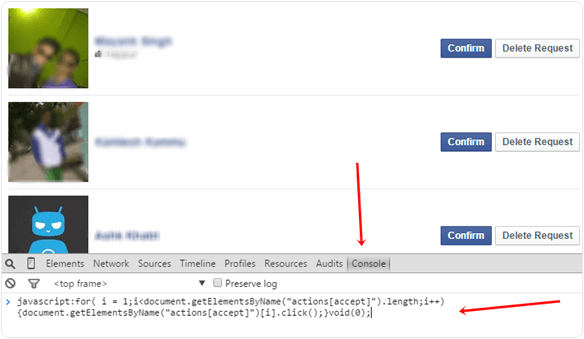
javascript:for( i = 1;i<document.getElementsByName(“actions[accept]”).length;i++){document.getElementsByName(“actions[accept]”)[i].click();}void(0);
- After pasting above given code. Press Enter and wait for sometime until all pending request will not get confirmed.
- Now Scroll down and make sure all request are accepted. In case their is a See more option then click on it.
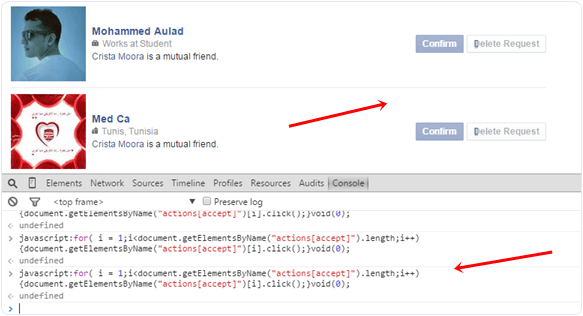
- Again run the same script in console to accept request of pending request.
- Follow the same process until all the request will not get accepted.
I hope you like this trick to accept all friend requests on Facebook at once. If you face any issue or want to suggest regarding this topic must leave your precious comment.

No comments:
Post a Comment